



Security is our top priority at Rain. We also understand that security is of utmost importance to our customers, and we want to reaffirm our commitment to safeguarding your investments on Rain.
Below are a few tips, warnings and guidelines to protect you against scams and help you detect fraudulent requests.
Always remember:
Exercise caution - don’t engage with any suspicious requester via any medium.
Rain will never ask you for any sensitive details like password or OTP or card details, etc.
Never share your Rain email, password and OTPs with anyone.
Hover the mouse over link(s) shared with you to check where you will land, instead of directly clicking on the link
Do not click on links received from unknown senders.
Be vigilant about where you login, by entering your credentials to login only in Rain official website i.e. https://www.rain.com
Use a complex & unique password for your Rain account.
Avoid using unsecured public networks and choose trusted Wifi networks.
Rain does not provide account managers that would trade on your behalf and/or offer trading tips.
Whenever you receive a strange request via any medium such as email, SMS, phone call or others, before taking any action kindly validate to ensure if it’s a genuine request or not.
How to detect phishing emails?
There are multiple phishing email scenarios that might ask you to:
Click on a suspicious link that might redirect you to a dummy website like Rain/your bank and ask you to login there to steal your credentials.
Download a malicious application or attachment to infect your device and get control.
Ask for your personal information to be used for another scam or attack scenario.
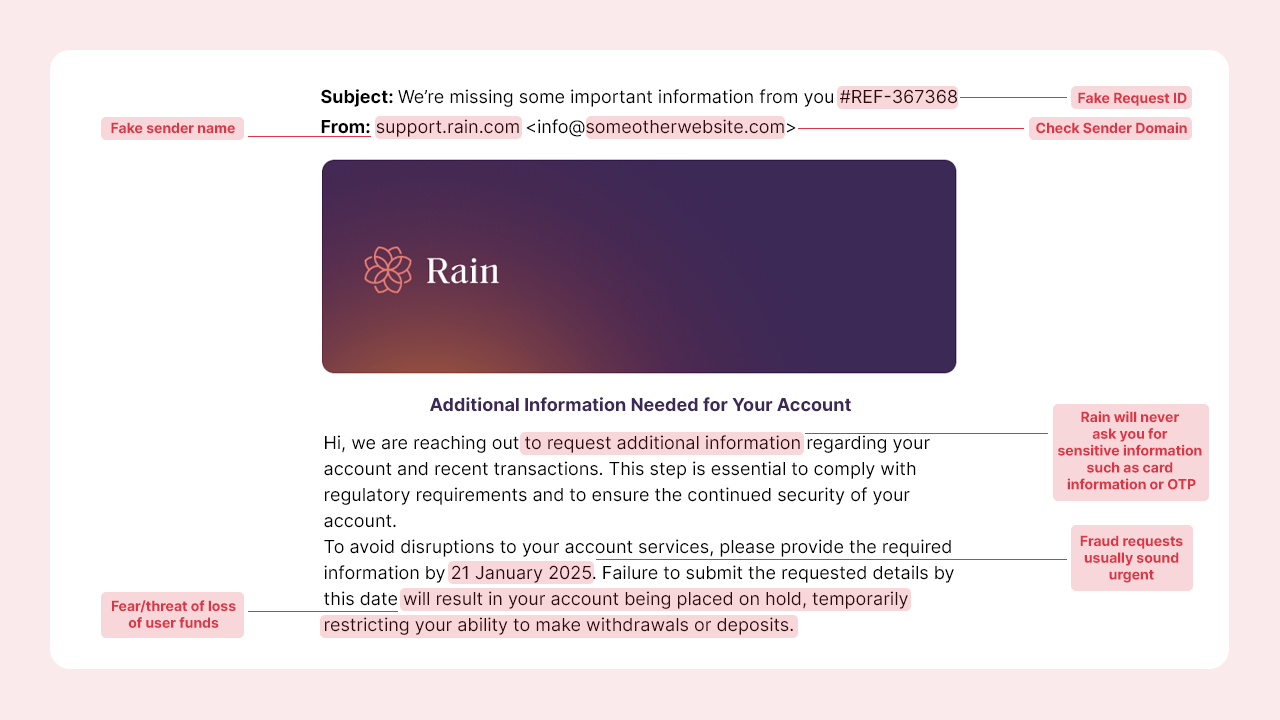
Do not click any links or provide your login information. If you receive an email from any of the below domains, it is not from Rain and you should not interact with it:
login-rain.com
rain-support.center
rain-mobile.info
rain-security.support
rain-account-verification.com
rain-security.com
rain-info.app
account-rain.com
rain-login.net
rain-login.com
rain-login.org
mail-rain.com
email-rain.com
How to validate an email?
Is there a genuine context to the email?
Is your name mentioned in the email?
Is the sender's email from the official domain or is there a spelling error? Always verify that the sender’s email address is from Rain's official domain (i.e. example@rain.com, example@xxxx.rain.com) and does not contain misspellings. Avoid clicking on links or opening attachments from unknown sources.
Is there a sense of urgency in the email?
Is the email requesting any personal information from you?
Is the email requesting you to click on a link or download an attachment?
Following are the official email domains used by Rain:
rain.com
mail.rain.com
email.rain.com
account.rain.com
How to detect phishing websites?
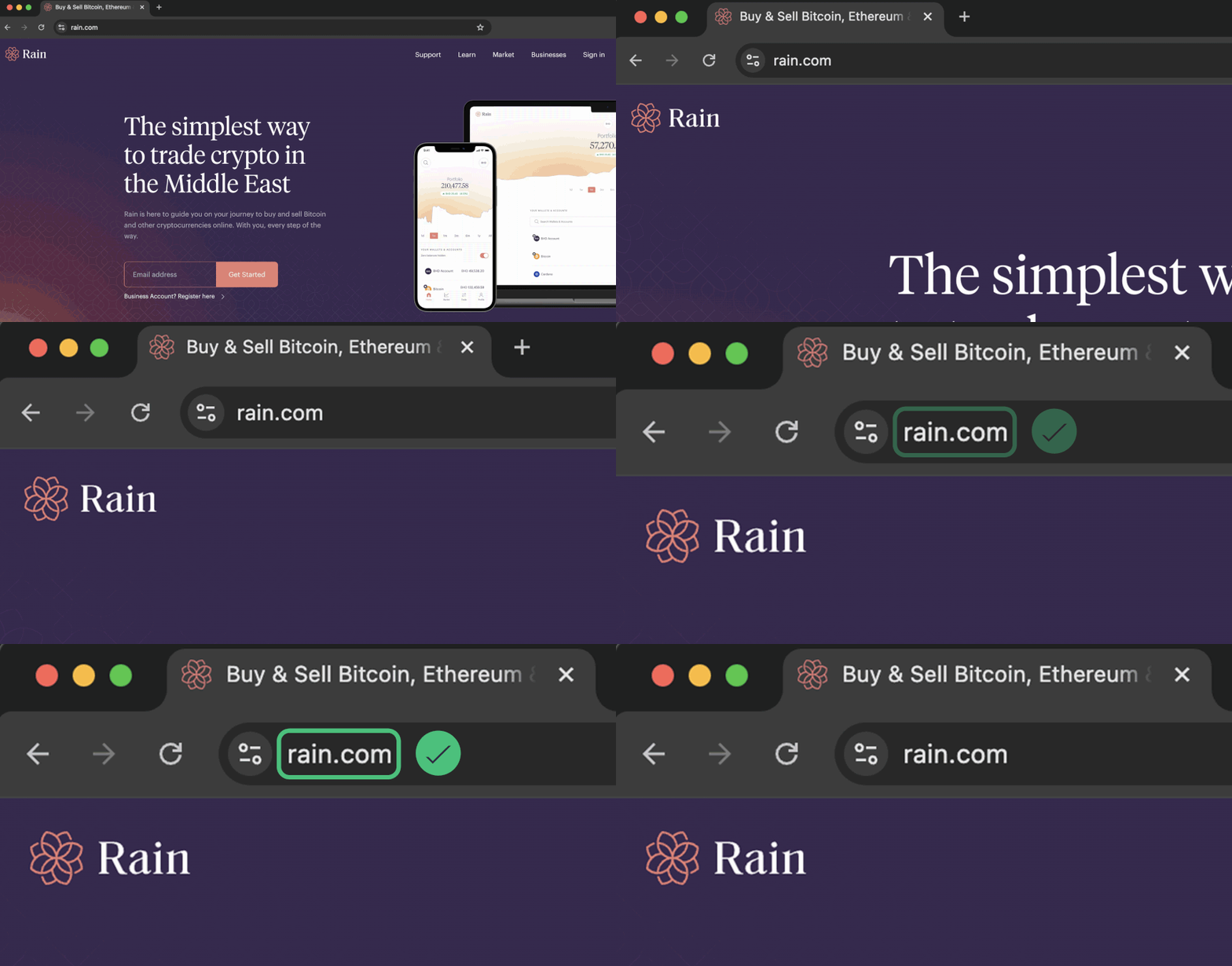
Only access Rain’s platform through official channels. Always use www.rain.com to log in and transact. Fraudulent websites may try to mimic our platform, so stay vigilant.
Our mission at Rain is to be your trusted and secure platform, protecting your investments while providing you with the tools to help you make sound decisions. We remain committed to providing you with a secure and reliable platform that protects your investments.
When in doubt, always remember that our support team is available around the clock to assist you and provide you with the guidance you need. Always contact Rain directly via official support page.

Copyright © 2026 Rain Trading Limited